The Fun Guide to Upside Down Text
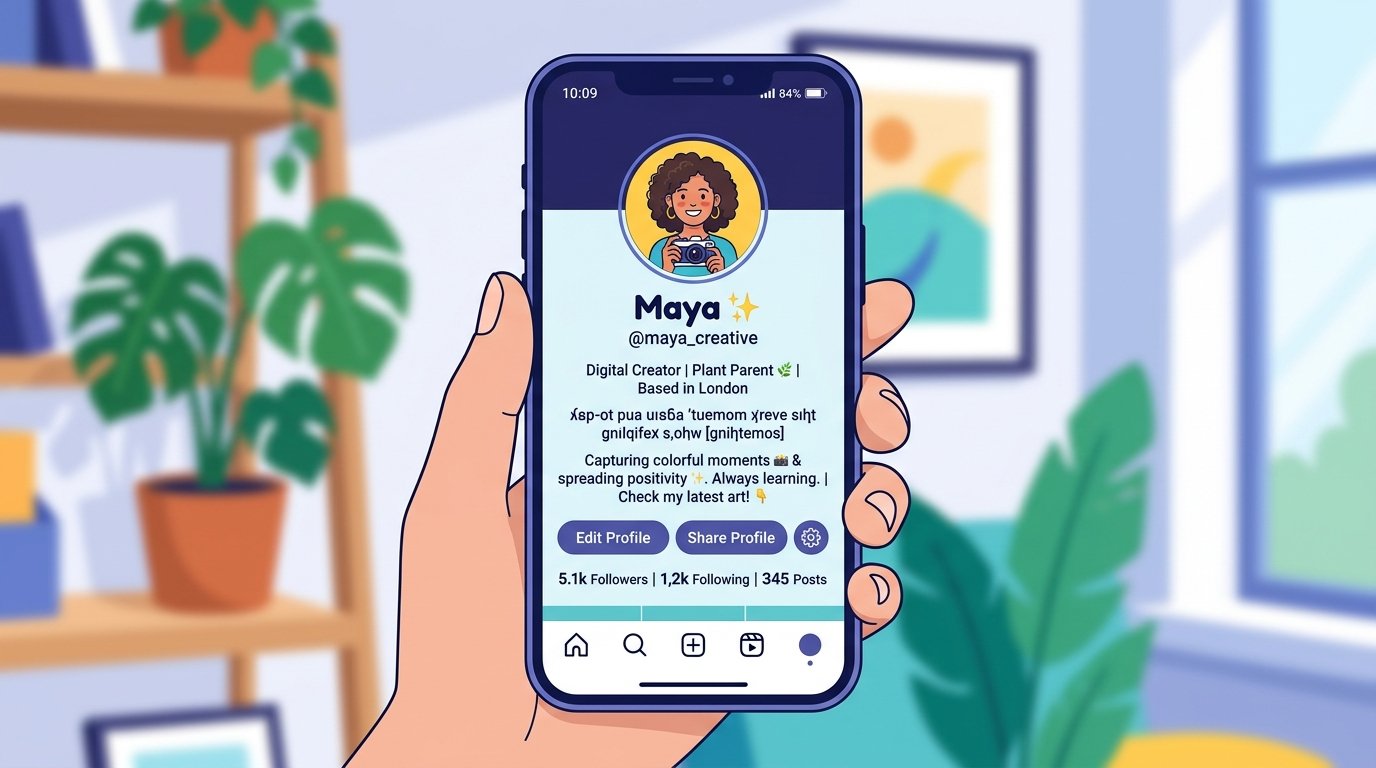
There's a specific kind of delight in seeing a perfectly normal sentence flipped completely upside down — letters mirrored, words in reverse order, reading like something out of a funhouse mirror. It's silly, it's harmless, and it's oddly satisfying to send to a friend mid-conversation just to make them tilt their phone.
Upside down text has been a small internet tradition for over a decade, and it's still one of the easiest ways to add a bit of personality to a bio, comment, or message.
How upside down text actually works
Flipping text upside down isn't done by rotating an image of the words. Instead, it works by swapping each letter for a different Unicode character that visually resembles the original letter rotated 180 degrees. The lowercase "e," for example, gets swapped for a character that looks like an upside-down "e" when read normally — so when the whole string is reversed and rendered, it reads as flipped text anywhere Unicode is supported.
That's why upside down text works in comments, captions, and messages without needing an image or app permission — it's just text, made of unusual characters.
Where people actually use it
- Social bios — a flipped line in an Instagram or TikTok bio catches the eye because it looks unusual against a feed of normal text.
- Comments and replies — a flipped one-liner in reply to a friend's post reads as a joke without needing extra words.
- Party invites and casual messages — flipping "you're invited" or a birthday message adds a playful twist to something ordinary.
- Confusing friends, on purpose — sending a flipped message just to watch someone turn their phone around is, there's no denying it, still funny every time.
Flipping your text
The fastest way to flip text is with an upside down text generator, which converts normal typed text into the mirrored Unicode version instantly — no design skill or app download needed. Type your sentence, copy the flipped output, and paste it wherever normal text would go.
Once you've got flipped text ready, you can pair it with other formatting — a bold text generator for emphasis on the parts that still read right-side up, for example — to build a bio that has a bit more personality than plain text allows.
💡 Things to know before you use it
- Not every character flips cleanly: Some letters and numbers don't have a natural upside-down equivalent, so the generator substitutes the closest visual match — results are very close to accurate but not a perfect mirror for every symbol.
- Rendering varies by font: Because it relies on Unicode characters rather than an image, how "flipped" the text looks can vary slightly depending on the font the platform uses.
- Accessibility matters: Screen readers often can't interpret flipped Unicode text correctly, so it's best used for casual, low-stakes content rather than anything informational or important.